

This post could also be called “adventures in Memory Stick PRO Duo for Sony Cybershot cameras”, if you so wish.
- self-congratulatory gallery before everything goes wrong
- a bit about 00s digital cameras made by sony
- technical section here, feel free to skip if your eyes are glazing over
- extensive testing commences (warning: boring and repetitive)
- tl;dr:
- sources
Recently, I was really excited to pick up a Sony Cybershot DSC-W180 for a not-so-bad price on Ebay, a rarity within the secondhand electronic marketplace these days here in Europe.
self-congratulatory gallery before everything goes wrong
(“Blue Hour” at Odeonsplatz & the English Garden – Munich, January 2026)








All SOOC, minus me cropping in #6 slightly. Can we just say wow at the successful low light shots though?
a bit about 00s digital cameras made by sony
For folks unfamiliar, the Sony Cybershot line from 2009 uses the full gamut of Sony-branded proprietary hardware from top-to-bottom:
- Sony’s own branded USB connector (otherwise known as Mini-USB 2.0 Type B or my partner going “Hey, that’s the same cable I charged my Playstation controllers on!”) which is even more annoying to source than microUSB these days.
- Proprietary batteries (NP-BK1 Type K) are thankfully not too difficult to pick up unbranded from Amazon and will absolutely have more longevity than the original spicy pillow battery the camera came with.
- Some sort of proprietary shovelware/driver combo included on a CD-ROM with the original purchase of a Sony Cybershot (unfortunately not included with my camera, but you can find the official .ISO from Sony on Archive.org if you’re morbidly interested, and have a Windows Me/2000/XP compatible emulator).
But most interesting is the storage medium: eschewing the SD cards at the time in favor Sony’s Memory Stick PRO Duo (4GB/8GB)(compatibility chart).
Plagiarizing from Wikipedia, “Sony exclusively used Memory Stick on its products in the 2000s such as Cyber-shot digital cameras, Handycam digital camcorders, Sony Ericsson mobile phones, WEGA and Bravia TV sets, VAIO PCs, digital audio players, and the PlayStation Portable game console, with the format being licensed to a few other companies early in its lifetime.” But Sony ditched the format just a year after my Cybershot was produced, which is likely while I obtained a camera in very good condition at a reasonable price.
(Side note: not to get too deep into technical nonsense [I’ll save that for below], but the amount of posts on r/VintageDigitalCameras asking how to get photos from an old camera to a phone is alarmingly high even with SD card-based cameras. SDs are a good beginner’s choice, Memory Stick PRO Duo… not for the faint of heart.)
While you can obtain old stock Memory Stick PRO Duos online in relatively good condition, the age of the format (production stopped in roughly 2010) leaves it a bit of a risky choice for longevity and I didn’t want to chance losing photos due to an old stick.
Thankfully in the year 20256, there are readily available Memory Stick PRO Duo converters that support microSD cards on Amazon. But getting a microSD card 8GB or smaller is an exercise in frustration again, since high capacity 32GB+ SDXC cards are the most common choice for consumers nowadays. The lowest size I was able to source new was a microSD 16GB SDHC, well beyond the camera’s reported capacity of 8GB. Sourcing an 8GB microSD card would be time consuming and run the same risk as above with longevity.
(If you’re not familiar with the differences between the SD, SDHC, and SDXC formats in SD/microSD cards, B&H has a fantastic guide here.)
technical section here, feel free to skip if your eyes are glazing over
So while I waited for my 16GB (SDHC) microSD card to arrive, I spent more time diving into the specifics of the Sony Cybershot line. Unfortunately, there wasn’t a lot of information I could find about the expected conditions of a Memory Stick PRO Duo card, but I did end up sourcing:
- A Sony Cybershot DSC-W180 expects either FAT16 or FAT32 formatted storage, with a MBR scheme (not GPT/UEFI!), and expects clusters of 32 KB(2GB)/64 KB(4 & 8GB). The volume should be marked “active”.
- That means depending on your format choice, you’ll have a logical limit of 16GB or 32GB supportable, but the camera does officially only support 4/8GB cards.
- I’d like to point out the reddit comment here confirms that a Cybershot DSC-W190 (same camera, basically) also accepted a 32GB SDHC microSD formatted with FAT16. Unfortunately, OP formatted the card in FAT16, reducing the limit to 4GB max when the manufacturer’s limit on the camera itself is 8GB → thus we should have at least FAT32 supportability. But it’s still a fantastic confirmation.
- If using a converter (Memory Stick PRO Duo to microSD), the camera expects SDHC and SD cards, and does not properly understand SDXC despite the backwards compatibility on paper.
- The Cybershots do not allow partitions on your microSD card (they will absolutely eat every inch of space), but will recognize an unformatted partition (partition 1) less than 8GB as an unformatted Memory Stick PRO Duo (Reinsert Memory Stick error disappears, the camera will not store images but will attempt to save. Attempt being the operative word here, it doesn’t work).
- Attempting to format the “stick” (aka microSD card) via the camera’s menu will result in a big fat nothingburger and destroys all partitions— don’t do this. (caveat: I did this multiple times.)
- According to an extremely helpful OP on reddit, u/This_Bet_5888, the Cybershots will accept a higher capacity microSD card (upwards of 16GB usable) in a Memory Stick PRO Duo converter if you first set up a 2GB FAT32 partition through
diskpartfor the camera to “eat” first. (Shoutout to Microsoft for actual okay documentation.)
extensive testing commences (warning: boring and repetitive)
After all of the above properly digested (and uncovered by digging through a ton of reddit threads), I was convinced to purchase a 16GB microSD card and try it out. Before it arrived, however, I happened to lay my eyes on an old SanDisc 128GB SDXC microSD card I had laying around. This is a pretty standard card that I don’t keep anything too important on, so it was the perfect test subject for the unholy abuse I was about to digitally commit.
Without getting into the whole long story of trials (and mainly errors), here’s what I tried to get my 128GB card to work in this camera:
- Formatting the microSD card through Disk Manager into two partitions did work, but Windows will not allow FAT32 formatting at all in Disk Manager.
- This is also when I learned that the Sony Cybershots will destroy all partitions in Format and uses the whole volume regardless of your opinion on the matter. Nice! 😎
- I then was successful in partitioning using Windows Powershell +
diskpartin FAT32, split into two partitions. But Windows will flat out refuses to allow FAT32 formatting for devices larger than 32GB. - To get around this FAT32 Windows size restriction, I ended up creating a non-bootable medium through Rufus, which does allow formatting in the Large FAT32 (w/32 & 64KB clusters) in higher capacities than 32GB. This actually worked and bypassed the “Reinsert Memory Stick” error, but could not be formatted by the camera and failed to save any photos.

- In an hour of desperation, I moved to my old Mac: formatting a microSD card in MacOS through Disk Utility did not work on macOS Tahoe at all (option greyed out), regardless of filesystem (the FATs, exFAT, Mac Journaled, etc).
- Formatting the microSD card and separating it into partitions through Terminal using
diskutil partitionDiskdoes work but will not be recognized by the camera at all (“Reinsert Memory Stick” error):sudo diskutil partitionDisk disk4 2 MBRFormat "MS-DOS FAT32" Camera 2G "MS-DOS FAT32" Extra R(Note: do not blindly copy this command without verifying which disk your microSD is mounted on first, else you’ll end up ruining something important.)
- Asking ChatGPT (yeah, I know, I was in a low place okay) ends up suggesting a few helpful tips (marking the partition active, ensuring 32kb blocks for your 4GB section) but simply ends up suggesting you buy the supported sticks instead of going through all this nonsense. Unhelpful. 👍
In the end, the most success I had with 128GB was an adapted version of u/This_Bet_5888’s method for dealing with SDHC cards below 32GB in Sony Cybershots:
I first created just one readable partition (tested all combos: 2GB, 4GB, 8GB, 16GB) in FAT32 (and then trying FAT16 for sub-4GB) using diskpart + marked it active, and left the rest of the space unallocated. Everything was successful at this point, bypassing the “Reinsert Memory Stick” error, but the camera would not allow photos to save even after formatting.
But following the steps above, something did seem to be correctly happening in the camera. After taking a photo and then opening the microSD card on Windows, I was delighted to find that the camera created a DCIM folder on the microSD card, but “Playback” mode failed to return any test photos. But, something was happening! 😭🎉
Unfirtunately, Windows File Explorer then refused to open the microSD card at that point. WizTree (better WinDirStat) allowed me a closer look to confirm that the DCIM folder still existed, but contained nothing inside.
I’d expect, from an educated guess, that this is simply some sort of overflow issue: a 2009 camera simply cannot handle having 128GB of storage thrown at it even when everything is “correct” and formatted in something it can understand. Things worked, the camera figured out how to set up the files properly on the microSD, but only up to that point. Saving images failed, which is unfortunately the most important bit for an old digicams.
tl;dr:
For the Sony Cybershot line, using a Memory Stick PRO Duo to microSD converter, you can use a 4-8-16-32GB SDHC microSD card at full capacity. The microSD card cannot be SDXC (32GB+), but SDHC is a-okay. The microSD card must be formatted in either FAT16 or FAT32 before the camera will recognize it, and I had fantastic success following u/This_Bet_5888’s method with a 2GB partition → format in camera → 16GB full capacity. Note if you choose to format in FAT16, you’ll only have 4GB of space (which is still enough, this camera only shoots 10MP, but still). I’m still on the bridge regarding MacOS formatting supportability, but I’m hedging a guess that’s a negative.
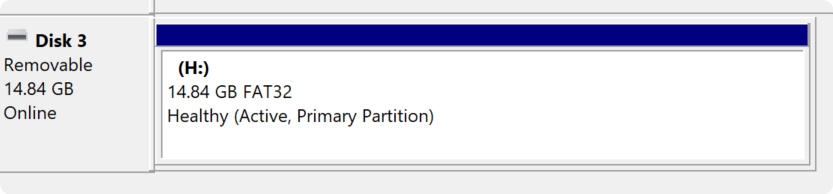
As all of this was for fun, I wasn’t too beat up at failure here with the 128GB microSD card. With a normal 16GB microSD card in an expected format (SDHC), the converter works perfectly.
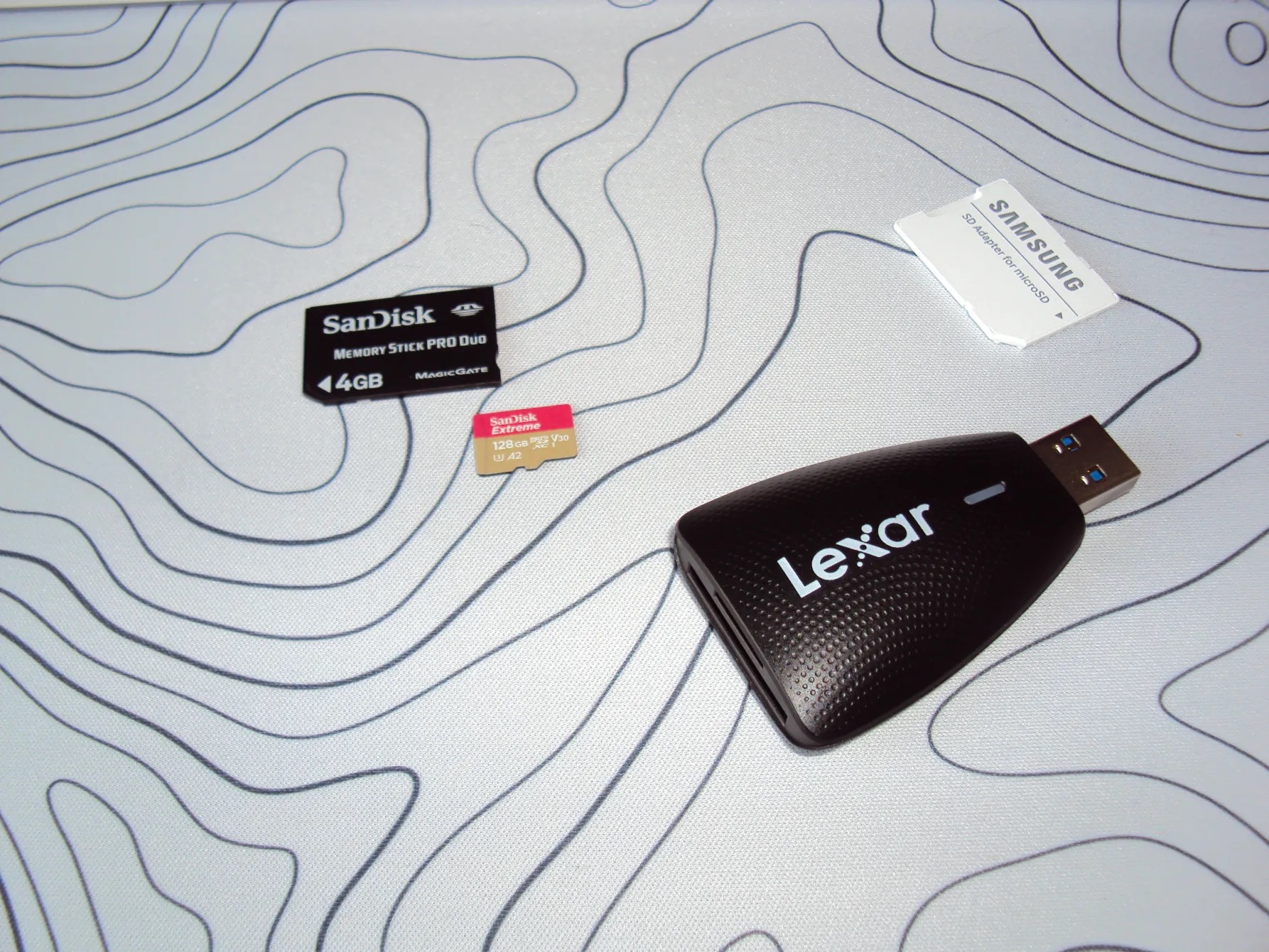
Still, it was really exciting to see something work on the camera despite on paper (and online) reporting that 128GB was impossible, but failure could simply be because I had reached the limit of my two brain cells rubbing together in a productive way. Regardless, I’m extremely interested to pushing this camera a bit further in the future and seeing if there’s anything else that will allow stable storage beyond 16GB.
sources
- https://learn.microsoft.com/en-us/windows-server/administration/windows-commands/diskpart
- https://www.reddit.com/r/VintageDigitalCameras/comments/1heqhsq/format_issue_with_sony_cybershot/ (for compatibility chart)
- https://www.reddit.com/r/sony/comments/166nl7k/comment/n5oybyr/ – confirming that SDHCs are compatible with the Cybershots
- https://www.reddit.com/r/VintageDigitalCameras/comments/1d8xi12/help_reinsert_memory_stick_error_on_sony_cyber/ – which included This_Bet_5888’s method in the comment section
- https://www.reddit.com/r/Cameras/comments/126w461/comment/lpydg24/– this comment confirming that a Sony Cybershot DSC-190 would support up to 32GB SDHCs
 Brin Bliss
You must be logged in to post a comment.